RapidHeat User Manual & Troubleshooting
Everything you need to set up your heater, use every control correctly, keep it running well for years, and fix the handful of problems that come up.
The short answer
RapidHeat from $59
Free USA shipping · 30-day return window · Published store policies
What's in the box
- 1x RapidHeat ceramic space heater
- 1x handheld remote control (battery included)
- 1x US quick-start guide
- Power cord permanently attached to the unit, US 120V plug
If you ordered a 2-pack or 3-pack, each heater ships with its own remote and quick-start guide. Check current bundle contents and pricing on the bundles page.
1. First-time setup
- 1. Unbox everything. Remove the heater, remote control, and quick-start guide from the box. Remove any protective film from the display and housing.
- 2. Inspect for shipping damage. Check the housing, cord, and plug for cracks or damage before first use. Contact support if anything looks damaged.
- 3. Choose a safe location. Set it on a flat, firm, non-carpeted surface with at least three feet of clearance from bedding, curtains, furniture and paper, and keep the rear air inlet unobstructed.
- 4. Plug directly into a wall outlet. Connect the cord straight into a standard 120V outlet. Never use an extension cord, power strip, or splitter with any space heater.
- 5. Power on. Press the power button on the unit or remote. Allow the heater to begin circulating air, following the product label and instructions.
- 6. Set your temperature and timer. Use + / − to choose a target temperature, and set the timer if you want the unit to switch itself off automatically.
2. What each control does
| Control | What it does |
|---|---|
| Power | Switches the unit fully on or into standby. |
| + / − | Sets the target room temperature. The unit heats until the room reaches it, then the thermostat cycles the element off and on to hold it steady. |
| Speed / Mode | Cycles between fan-only, low heat and high heat. |
| Timer | Sets an automatic shut-off after a chosen number of hours, independent of the thermostat. Best used overnight. |
| Display | Shows the current mode, set temperature, and remaining timer countdown. |
Key takeaway
3. Thermostat and timer operation in detail
When you set a target temperature with + / −, RapidHeat runs the heating element at full power until an internal sensor detects the room has reached that temperature. It then cuts the element and lets the fan clear residual heat before going quiet. As the room cools by a degree or two, the element switches back on. This cycling is normal and is what keeps a room at a steady temperature without you touching the controls again — see how RapidHeat works for the mechanics behind it.
The timer is a separate, simpler countdown: choose a number of hours and the entire unit powers down when the countdown reaches zero, whatever the room temperature is at that moment. For overnight use, a common approach is to set the temperature you want to fall asleep in, then set the timer for one to two hours — long enough to warm the room and keep it comfortable while you drift off, short enough that it isn't running all night.
4. Remote control: battery and range
The remote uses a single CR2032 coin-cell battery, installed from the factory. It works by infrared, the same way a TV remote does, so it needs a clear line of sight to the receiver window on the front panel and works reliably up to about 15 feet away. There's no pairing process — install or replace the battery and it's ready to use. If the remote becomes unresponsive, replace the battery first; the buttons on the unit itself always work regardless of remote battery status.
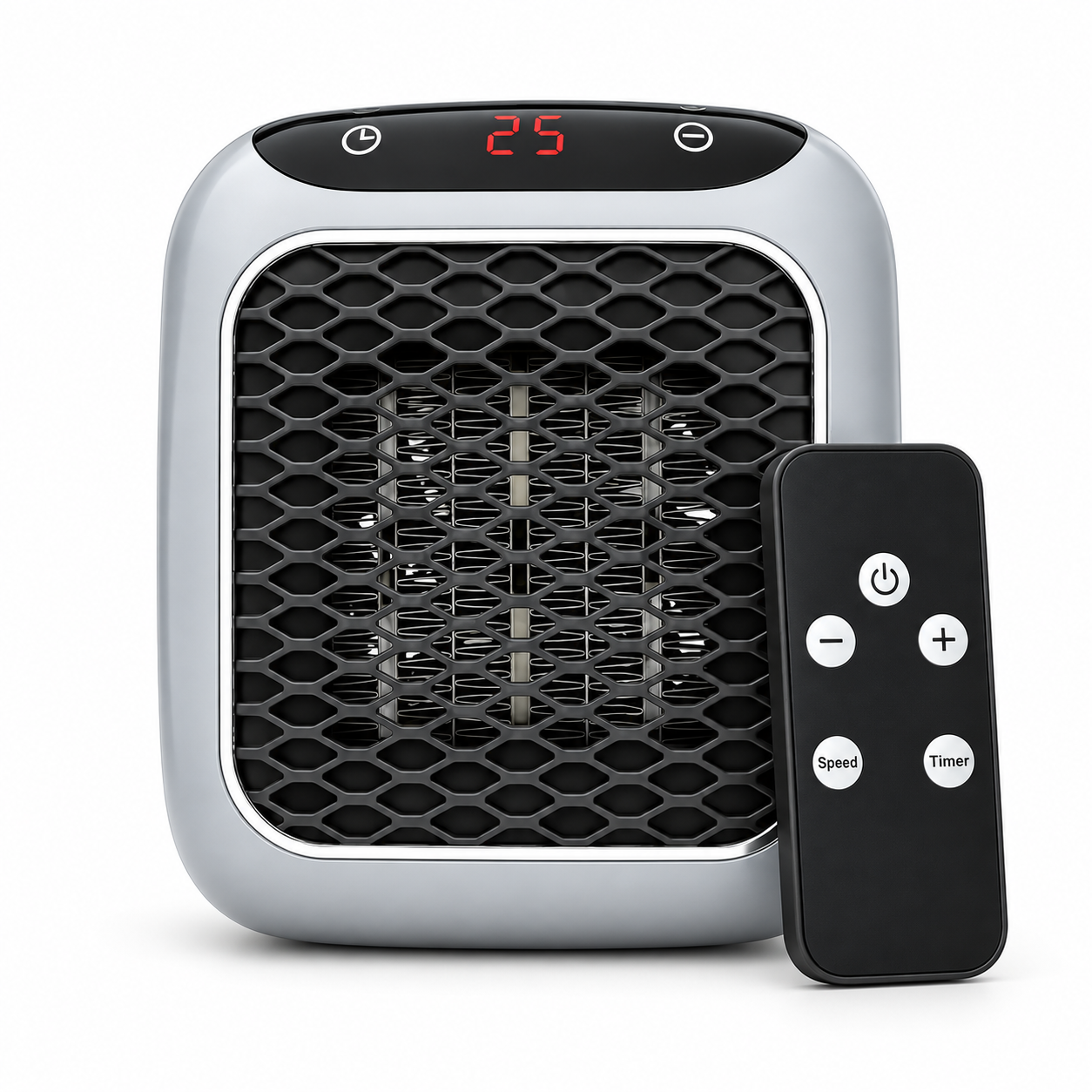
Recommended in this guide
The compact heater this guide keeps coming back to
RapidHeat is a portable ceramic fan heater for personal and supplemental room heating. Room results depend on insulation, drafts, ceiling height and starting temperature; it is not a whole-home heating replacement.
- Ceramic fan heating
- Remote control included
- Programmable timer
5. Safety rules
- Plug directly into a wall outlet — never into an extension cord, power strip, or splitter.
- Keep at least three feet of clearance from bedding, curtains, furniture, and paper on all sides.
- Place on a firm, flat, non-carpeted surface. Never operate it lying on its side.
- Never cover the unit or block the front outlet or rear air inlet.
- Don't leave it running in a room with no one present for long periods; use the timer instead.
- Keep it away from water — bathrooms and areas prone to splashing are not suitable locations.
- Unplug before cleaning and let the unit cool first.
For broader guidance on space heater safety in general, see are space heaters safe and the NFPA's home heating safety resources linked in the sources below.
6. Cleaning, filter care, and storage
Unplug the unit and let it cool completely before cleaning. Wipe the housing with a dry or barely damp cloth — never spray liquid into the vents or submerge any part of the unit.
Clean the rear filter roughly once a month during the heating season. Remove the filter cover, lift out the filter, and either vacuum it gently with a brush attachment or rinse it under cool running water. Let it dry completely — this can take several hours — before refitting; installing a damp filter restricts airflow and can cause the unit to run longer duty cycles than necessary. A clogged filter is one of the most common causes of a heater that seems to run constantly without the room warming up.
For off-season storage: unplug, clean the housing and filter, coil the power cord loosely without sharp kinks, and store the unit upright in a dry indoor space, ideally back in its original box, away from moisture, dust, and direct sunlight.
7. Troubleshooting
| Symptom | Likely cause | Fix |
|---|---|---|
| Blowing cold air continuously | Set temperature is below current room temperature | Raise the set temperature with the + button |
| Blowing cold air briefly at start or after shutoff | Normal warm-up or cool-down fan behavior | No action needed if heated airflow begins normally after startup |
| Unit won't turn on at all | Not plugged in, dead outlet, or tripped breaker | Check the outlet with another device and check your breaker panel |
| Shut off unexpectedly and won't restart | Overheat protection triggered, or blocked air inlet | Unplug for 10 minutes, clear any obstruction, then retry |
| Remote unresponsive | Dead or missing battery, or no line of sight | Replace the CR2032 battery and point it at the front receiver within 15 feet |
| Room not warming up despite running | Clogged filter, blocked vents, open door, or room too large for one unit | Clean the filter, clear vents, close the door, or add a second unit — see sizing guide |
| Faint smell on first use | Manufacturing residue burning off the new element | Ventilate the room for the first 20 minutes; should not return afterward |
| Louder than usual or rattling | Debris in the fan housing, or unit on an uneven surface | Unplug, move to a firm flat surface, and check vents for debris; contact support if it continues |
If a symptom isn't listed here or doesn't resolve after these steps, stop using the unit and contact support rather than continuing to run it.
Using multiple units
If you bought the 2-pack or 3-pack, each heater runs independently with its own thermostat, timer and remote — they do not sync with each other. A common setup is one unit in the bedroom on a timer for overnight use, and a second in a home office or living room run during the day. Running two smaller heating zones instead of one large central zone is usually what produces the bigger saving, since you are only paying to heat the rooms you are actually using; see running cost breakdown for the math.
Full specifications
- Product type: Portable ceramic fan heater
- Best use: Personal and supplemental room heating
- Room fit: Depends on insulation, drafts, ceiling height and starting temperature
- Operating sound: Fan sound is expected; no verified decibel figure is published here
- Controls: Touch panel + handheld remote (power, +/-, speed, timer)
- Timer: Programmable auto shut-off timer
- Safety: Follow the product label and manual; never use unattended
- Power: Standard 120V US outlet
- In the box: Heater, remote control, US quick-start guide
Frequently asked questions
Why is my RapidHeat blowing cold air?
The fan runs for a short cool-down period after the heating element switches off, and it also runs briefly at start-up before the ceramic plates reach temperature. If it blows cold continuously, the set temperature is likely below the current room temperature — raise the setting a few degrees with the + button.
Why did my RapidHeat switch itself off?
That's usually the thermostat doing its job once the room reaches the set temperature, or the timer reaching zero. If it shut off unexpectedly and won't restart, unplug it for ten minutes to let the overheat protection reset, and check that the rear air inlet isn't blocked.
How do I clean the filter?
Unplug the unit and let it cool completely. Remove the rear filter cover, lift out the filter, vacuum it gently or rinse it in cool water, and let it dry fully before refitting. Do this about once a month during heavy use.
How do I pair or reset the remote?
The remote is pre-paired at the factory and works out of the box once a battery is installed — there's no separate pairing step. If it stops responding, replace the battery (CR2032), point it directly at the front panel's receiver window, and stand within about 15 feet.
Can I leave RapidHeat running while I'm asleep?
Yes, using the timer is the recommended way to do this — set it to switch off after a set number of hours rather than running unattended indefinitely. Never leave any space heater running in a room with no one present for extended periods, and keep it three feet clear of bedding.
How do I store RapidHeat during the off-season?
Unplug it, let it cool, clean the filter and housing, coil the cord loosely without kinking it, and store the unit upright in a dry indoor location, ideally in its original box, away from moisture and dust.
Warranty and support
Every RapidHeat unit is covered by a 12-month warranty against manufacturing defects, and every order has a 30-day return window from the date of delivery. Email support@rapidheatus.com with your order number and a short description of the issue, and our US support team (Mon–Fri, 9am–6pm ET) will get back to you with next steps. Full terms are on the returns and warranty page, or reach us directly via contact support. If you're weighing whether to buy at all, our is RapidHeat legit page covers the company and ordering process in detail.
Why buy direct from RapidHeat US
- Official US store — the same team that handles warranty claims
- Free shipping to eligible US delivery addresses
- 30-day return window and a 12-month limited warranty
- US-based email and phone support, not a marketplace reseller
Sources & how we got these numbers
- Energy.gov — Small Space Heaters — General guidance on operating portable space heaters
- NFPA — Home Heating Safety — Placement and safety guidance referenced above
- EIA Electric Power Monthly — US average residential electricity rate used elsewhere on this site
Costs are illustrative and calculated at the US average residential electricity rate. Your own rate, room and usage will change the result. See our editorial standards.
Keep reading
Ready to warm the room you're actually in?
Bundles start at $59 with free eligible US shipping and a 30-day return window.
See bundles & order